The AI Pinterest Desk for Wedding Invitation Studios
A practical weekly desk for invitation designers using AI to turn verified FAQs, portfolio assets, and print details into Pinterest Pins that earn better consult inquiries.
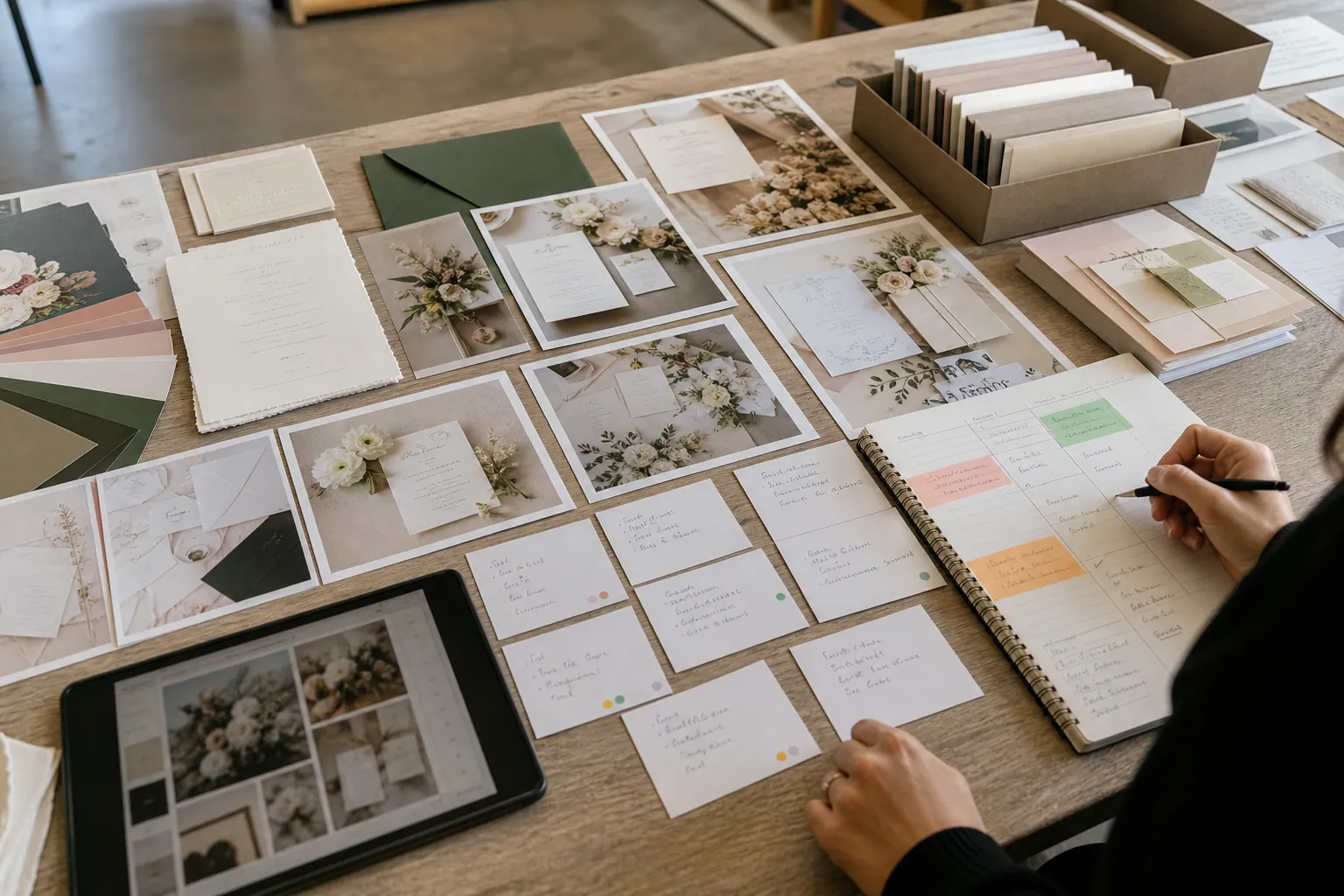
A wedding invitation studio owner opens Pinterest analytics on a Tuesday afternoon. Her floral suites have plenty of saves, but the inquiry form is filled with couples asking for editable templates, rush printing, or services she does not offer.
Meanwhile, useful questions are sitting in three places: consultation notes, emails from couples who are unsure when to mail save-the-dates, and comments about what belongs in an invitation suite. The studio has enough raw material for Pinterest. It just does not have a reliable way to turn that material into accurate, inquiry-shaping content.
AI can help—but only after the operator decides what is true, what is current, and what kind of client the studio wants more of. The goal is not to produce a month of interchangeable “wedding stationery ideas” Pins. It is to make a small set of Pins that helps a planning couple make the next decision and arrive at the right page.
Diagnose the gap before asking AI to write anything
Start by looking at the route from Pin to inquiry. For a custom or semi-custom invitation studio, three patterns tend to reveal the real problem.
Pattern 1: Saves are healthy, but outbound clicks are weak
This often means the Pin works as a complete piece of inspiration but does not create a reason to continue. A beautiful flat lay can earn a save without answering a buying question.
Replace some gallery-only Pins with decision-led topics such as:
- When to send save-the-dates for a 2027 wedding
- What goes inside a wedding invitation suite
- Semi-custom wedding invitations versus fully custom stationery
- Wedding invitation wording when parents are hosting
- How much time to allow for invitation design, proofing, and mailing
The image can still be beautiful. The promise just needs to be useful enough to earn the click.
Pattern 2: Clicks rise, but consultations do not
This is usually a Pinterest landing pages problem, not an AI-copy problem. A Pin about invitation timelines should not land on a general homepage with a carousel of past work.
Send it to a page that answers the timeline question, shows the studio’s relevant process, states its service area or remote process, and gives a clear next action. If the studio has a minimum, lead time, or only offers physical stationery, say so before the inquiry form.
Pattern 3: Inquiries arrive, but they are poorly matched
A studio that sells custom paper goods can accidentally attract printable-template shoppers by publishing broad “DIY wedding invitation” content. That is not bad traffic; it is simply traffic for a different offer.
Review Pinterest lead quality alongside raw inquiry count. In a simple spreadsheet or CRM view, tag each Pinterest inquiry as:
- right service and budget range
- right service, wrong timing
- template or DIY request
- outside product scope
- incomplete or spam
That turns Pinterest booking tracking into an operating decision. If a Pin earns fewer clicks but produces more right-fit consultations, it deserves more attention than a high-save mood board.
Build a weekly desk from verified inputs
A lean version takes about two hours a week. The important rule: AI drafts from a fact packet. It does not decide what your studio offers.
1. Collect a 20-minute fact packet
At the start of the week, gather only material you can stand behind.
| Input | What to capture | Why it matters |
|---|---|---|
| Client questions | Repeated, anonymized planning questions | Reveals Pinterest search intent in buyer language |
| Current offer facts | Semi-custom collections, custom process, minimums, lead times | Prevents stale or invented claims |
| Portfolio assets | Approved images, detail shots, envelope photos, sketches | Gives each Pin proof rather than generic stock imagery |
| Sales notes | Reasons qualified couples booked or passed | Helps shape Pins that filter for fit |
| Seasonal signals | Engagement season, showcase dates, mailing deadlines | Helps select timely angles without publishing false urgency |
Do not paste full client emails or inquiry forms into an AI tool. Remove names, wedding dates, addresses, venue details, and private budget information. Also confirm that every project image has the appropriate portfolio permission.
2. Choose two questions, not twenty keywords
Pick two questions that connect to a real service or collection page. For example:
- “When should we mail save-the-dates?”
- “What is the difference between semi-custom and custom wedding invitations?”
Each question can yield several Pins, but it should have one accurate destination and one business purpose.
This is a better constraint than asking AI for “50 wedding Pins.” Large batches tend to repeat claims, dilute design quality, and send every visitor to the same generic page.
3. Use AI to create briefs, then review the facts
Give AI your approved inputs and ask for a structured brief rather than a finished Pin you publish blindly.
Using only the facts below, create three Pinterest Pin briefs for couples comparing semi-custom and custom wedding invitations. For each brief, provide: search-led title, short on-image headline, description, visual direction, destination page, and one clear call to action. Do not state prices, turnaround times, availability, or customization options unless explicitly listed. Avoid promising that a design is unique, bespoke, or fully custom unless the facts say so.
Your fact packet might say:
- Semi-custom clients choose from three approved layouts and can personalize wording, ink color, and envelope color.
- Custom stationery begins with a consultation and includes a new visual direction.
- The studio offers printed paper goods only; no editable template files.
- The destination page explains both services and has separate inquiry buttons.
Review every draft for two things AI frequently gets wrong: implied capabilities and overly precise timing. “Choose your favorite palette” sounds harmless, but it is inaccurate if a collection has limited color options. “Order six months ahead” is risky if it is not the studio’s actual guidance.
4. Design six purposeful Pins in 45 minutes
Create three Pins per topic, with genuinely different visual jobs—not tiny color changes to the same layout.
For a timeline article, use:
- a clean calendar graphic
- a suite image with a timeline overlay
- an envelope-detail image with a question-led headline
For a service-comparison page, use:
- a two-column comparison graphic
- a process sketch or proofing image
- one polished finished suite with a clear service label
Keep text readable on a phone. A couple should understand the core promise without zooming into a busy invitation photo.
5. Add tracking before scheduling
Use consistent Pinterest UTM tracking so each idea can be evaluated separately. A practical convention looks like this:
utm_source=pinterest&utm_medium=organic&utm_campaign=save_date_timeline&utm_content=calendar_v1
Use the same campaign name for Pins that support the same page and a different utm_content value for each creative. This makes it possible to see whether the calendar graphic or the suite photo produced the stronger visits and consultation starts.
For a small publishing queue, a tool such as PinPinMe can keep approved creative, destinations, UTM labels, and scheduled dates in one place. The tool is not the strategy; it simply reduces the chance that a strong Pin goes out with an old link or no tracking.
6. Review last week’s Pins in 15 minutes
Do not judge wedding stationery Pins after a day. Couples may save during venue research and return weeks later once they have a date, guest count, or planning conversation.
Use a simple review table:
| Signal | What it can tell you | Next action |
|---|---|---|
| Saves | Design or planning relevance | Keep the idea in the seasonal library |
| Outbound clicks | The headline and destination earned curiosity | Test another visual angle |
| Scroll depth or guide views | The landing page matched the Pin promise | Add a more specific CTA |
| Consultation starts | The visitor had meaningful commercial interest | Keep publishing related questions |
| Qualified consultations | The Pin attracted the studio’s actual client | Build a second Pin family around it |
Pinterest attribution is rarely perfect for a considered purchase. Ask every inquiry, “Where did you first find us?” and save the answer beside UTM data. This catches delayed and multi-touch journeys that analytics platforms may under-credit.
Four Pin families from one real studio question
Suppose the same question appears in three consult calls: “What exactly comes with an invitation suite?” Rather than making one generic Pin, build four routes from the same approved answer.
| Pin family | Sample Pin title | Best destination | What it qualifies |
|---|---|---|---|
| Planning guide | What Goes in a Wedding Invitation Suite? | Educational suite-components page | Couples early in stationery planning |
| Service clarity | Custom vs. Semi-Custom Invitations: What Changes? | Service comparison page | Couples choosing a design route |
| Process proof | From Proof to Post: How Invitation Assembly Works | Process page or studio journal | Couples who value physical stationery and care |
| Collection path | Garden Wedding Invitation Suite With Matching Day-Of Details | Relevant collection page | Couples who are ready to view a style |
The guide does not need to force an immediate consultation. Its job is to create a trustworthy first interaction. The service-comparison Pin can be more commercial because the searcher is closer to selecting a provider.
This is also how a studio avoids relying on one broad board called “Wedding Invitations.” Organize boards around durable planning jobs, such as wedding stationery timeline, invitation suite ideas, wedding day paper, and seasonal wedding stationery—not around every individual client project.
Mistakes that make AI output expensive instead of useful
Treating AI as the source of truth
AI can reorganize approved information quickly. It cannot verify whether a specialty paper is still available, whether a collection is paused, or whether a postal recommendation applies to a particular couple. Keep a current offer sheet and require every claim to trace back to it.
Publishing AI variations that are functionally identical
Changing “Wedding Invitation Timeline” to “Wedding Stationery Timeline” five times is not a content strategy. Each variation should serve a different search need, visual context, or destination.
Turning private client details into content prompts
A bride’s personal wording dilemma, family names, venue information, or invitation proof is not raw material for a public AI process. Strip private details, use approved examples, and obtain explicit permission before sharing recognizable work.
Letting automation ignore calendar changes
A scheduled Pin can outlive a lead-time update, collection retirement, holiday closure, or link restructure. Add a review date to every campaign. For an invitation studio, monthly checks are often enough; during busy engagement or booking periods, review active offer Pins weekly.
Measuring the wrong win
A Pin about wedding color palettes may win saves and still have little connection to stationery revenue. Keep it if it serves an intentional visibility role, but do not let it crowd out Pins that create qualified consultations.
Short operating checklist
Before this week’s Pins go live, confirm:
- Two real client questions were selected from verified studio inputs.
- Every service, material, timing, and customization claim is current.
- Client information was anonymized and imagery has usage approval.
- Each Pin has a distinct search intent, visual angle, and destination.
- The landing page answers the Pin’s promise before asking for an inquiry.
- UTM campaign and creative labels are attached.
- A review date is set for links, lead times, and paused collections.
- Pinterest saves, outbound clicks, consultation starts, and qualified leads will be reviewed together.
The practical advantage of AI is not more Pins. It is a calmer desk: fewer blank-page decisions, faster drafts from information you already own, and a tighter connection between Pinterest discovery and the couples your studio is best positioned to serve.
The AI Gift-Intent Pinterest Desk for Merino Sock Shops
A practical weekly routine for merino sock retailers using AI to turn verified product facts, gifting questions, and stock signals into accurate Pinterest traffic.

Strategy Memo: AI Pinterest for Custom Photo Calendar Shops Before Q4
Use AI to turn verified calendar specs, photo-upload questions, and gifting decisions into Pinterest traffic that starts—and completes—custom calendar orders.

The AI Fit-Check Pinterest Desk for RV Solar Kit Shops
Turn real RV solar compatibility questions into accurate Pinterest content without letting AI invent wattage claims, promote unavailable kits, or bury buyers in jargon.
Case Study: How a Permanent Jewelry Studio Found the Pinterest Pins That Booked Private Parties
A composite teardown of a permanent jewelry studio that separated pop-up traffic from party leads and used booking-quality data to choose which Pinterest Pins to scale.
The Consult-Ready Pinterest Operator Playbook for Custom Closet Studios
Turn closet, pantry, and mudroom planning searches into better in-home design consultations with intent-led boards, useful Pins, and a simple weekly routine.

The Spring-Project Pinterest Operator Playbook for Pool Renovation Companies
Turn pool tile, resurfacing, coping, and timeline research into better spring renovation inquiries with intent-led boards, useful pages, and a weekly operator routine.